Tag: dev
Link:Willow Protocol
Link: https://willowprotocol.org/Link:Migrating from Go to Rust
Link: https://corrode.dev/learn/migration-guides/go-to-rust/#
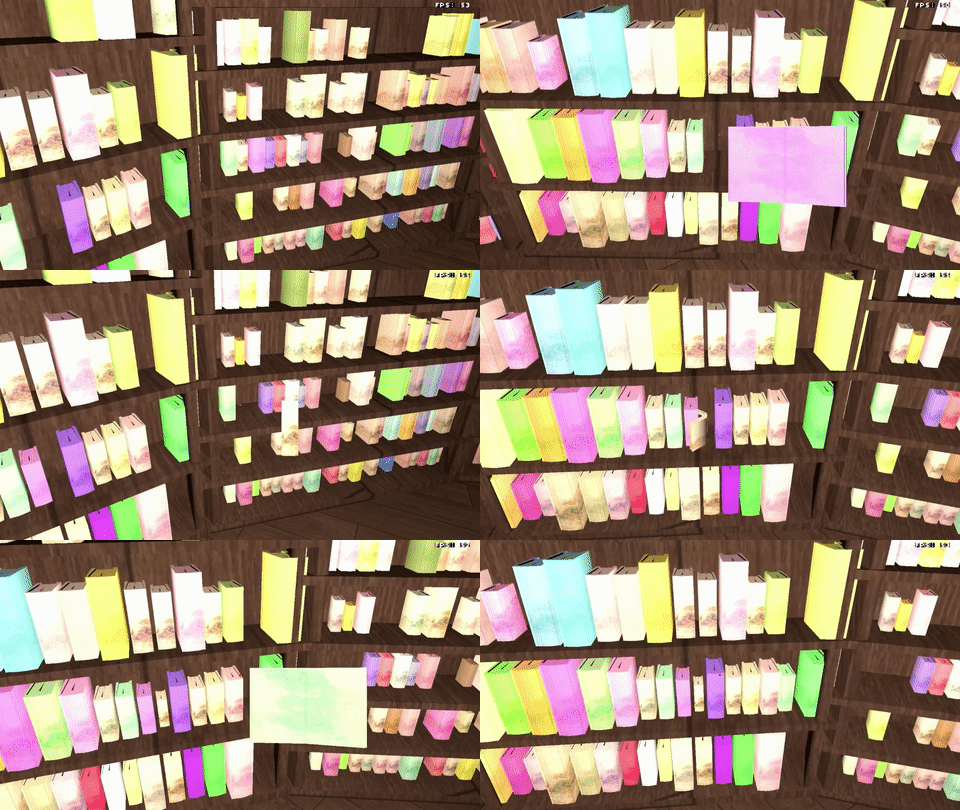
#gamedev progress:
- reworked book model to fix issues with normals when book was opened
- refactored input handling from event based to having a big struct of the input state passed to the update function
- implemented the first interaction with the world. Books can now be picked up and placed back into shelves
Link:If you thought the speed of writing code was your problem - you have bigger problems
Link: https://andrewmurphy.io/blog/if-you-thought-the-speed-of-writing-code-was-your-problem-you-have-bigger-problems?vibe=corporate#
#gamedev progress:
I've spent the last couple of evenings implementing a #GLTF 2.0 parser to support animations. Today I've achieved the first step towards that goal and can now load meshes from .glb files.
Link:Periodic Table of Rust Types
Link: https://rustcurious.com/elements/Link:Hacker Laws
Link: https://hacker-laws.com/Link:How not to learn Rust
Link: https://dystroy.org/blog/how-not-to-learn-rust/Passing Strings and Arrays between JS and WASM
WASM has a linear memory to pass data between JavaScript (or any other hosting environment) and WASM. Any data which cannot be represented by WASMs data types (32 and 64bit integers and floats) also has to be passed through this memory.
In JavaScript we can access the WASM memory through a DataView object.
WebAssembly.instantiateStreaming(fetch("lib.wasm"), {}).then(
(obj) => {
const dv = new DataView(obj.instance.exports.memory.buffer)
//...
}
The DataView object allows us to read and write data to the memory. To pass a string to a WASM function we first have to encoded it to bytes and then write these bytes into the memory buffer. setUint8 sets the i-th byte of the memory buffer to the provided value.
// encode string in "program" as utf8 and write to WASM memory
let utf8Encode = new TextEncoder();
const p_data = utf8Encode.encode(program);
for (let i = 0; i < p_data.length; i++) {
dv.setUint8(i, p_data[i])
}
The byte position of the written data serves as the "pointer" to the data, that we have to pass to the WASM function call. As the data was written to the start of the memory it will be 0 in this case.
The function we want to call has this signature (in zig). The example is taken from the chromahack code also used in this article about writing WASM libraries in zig
render_point_2(program: [*]const u8, len: usize, result: [*]f32) void
As we can only pass pointers, not strings directly, we also have to pass the length of our string. Otherwise the called function doesn't knowns how much data has to be read from the linear memory.
The called function calculates a RGB color value. The values are written to the provided result location, therefore we also have to provide a pointer for the result in the call. The first two parameters define the string we pass into the function, start location 0 and length of p_data.length. The third parameter is the result location. This is set to p_data.length as this is the first unused location in our memory, directly after the string.
obj.instance.exports.render_point_2(0, p_data.length, p_data.length);
After the function call we have to retrieve the data from the memory. In this case we know that the function will always write 3 floating point values. Otherwise the function would also need to return the length of the result.
The data is again retrieved throught the DataView object via the getFloat32 function. Note that the address is given as a byte offset and therefore has to be increased by 4 each time (byte size of a float). The second parameter defines the endianness of the read data.
const r = dv.getFloat32(p_data.length + 0, true);
const g = dv.getFloat32(p_data.length + 4, true);
const b = dv.getFloat32(p_data.length + 8, true);